

Some code snippets to improve graph appearance and readability!
Compare the first basic graph with the second more informative graph.

pko %>%
  group_by(year) %>%
  count() -> ya

ya %>%
  ggplot(aes(x = year,
             y = n)) +
  geom_point() + geom_line()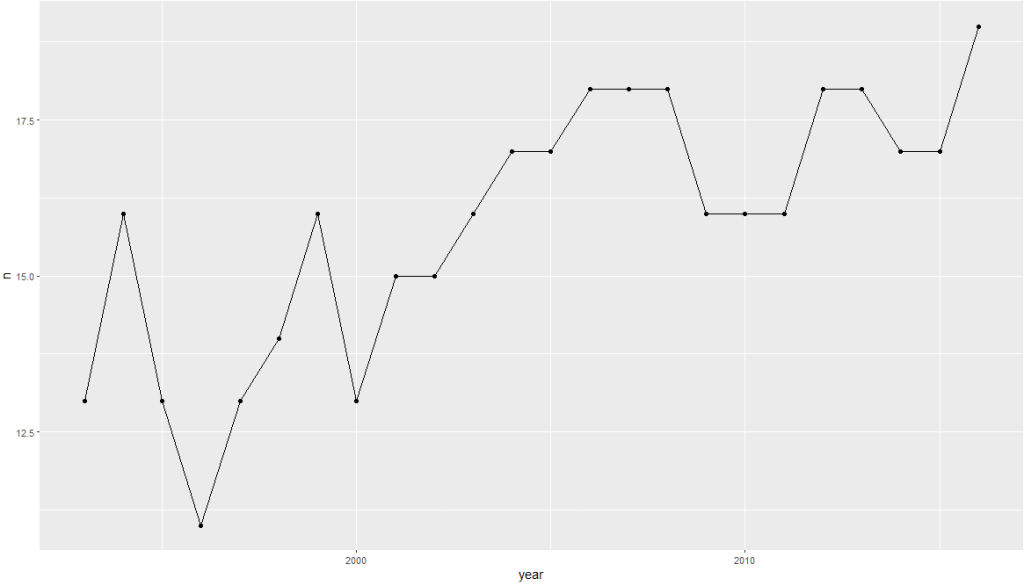
Dealing with the z and y axes can be a pain.
yo %>%
  ggplot(aes(x = year, y = n)) +
  geom_point() +
  geom_line() +
  scale_x_continuous(breaks = seq(min(yo$year, na.rm = TRUE),
                                  max(yo$year, na.rm = TRUE),
                                  by = 1)) +
  scale_y_continuous(limits = c(0, max(yo$n, na.rm = TRUE)),
                     breaks = function(limits) seq(floor(limits[1]), ceiling(limits[2]), by = 1)
  )
In this code:
The breaks argument of scale_y_continuous() is set using a custom function that takes limits as input (which represents the range of the y-axis determined by ggplot2 based on your data).
seq() generates a sequence from the floor (rounded down) of the minimum limit to the ceiling (rounded up) of the maximum limit, with a step size of 1.
This ensures that the sequence includes only whole integers.
Using floor() for the start of the sequence ensures you start at a whole number not greater than the smallest data point, and ceiling() for the end of the sequence ensures you end at a whole number not less than the largest data point.
This approach allows the y-axis to dynamically adapt to your data’s range while ensuring that only whole integers are used as ticks, suitable for counts or other integer-valued data.
pko %>%
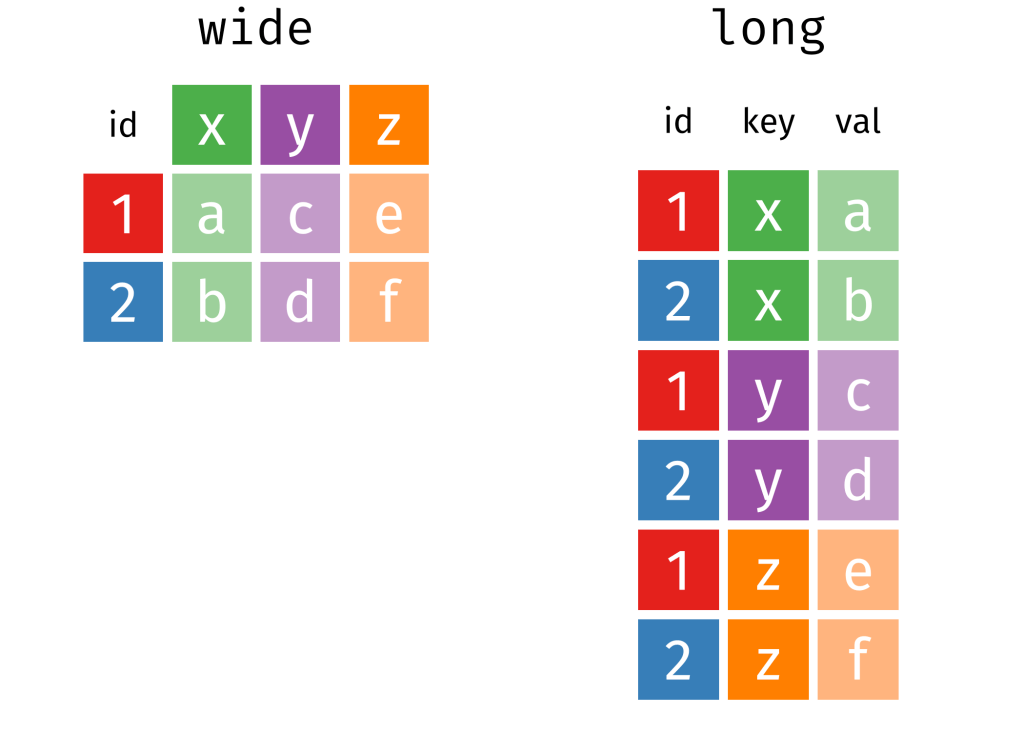
  pivot_longer(!c(cown, year),
               names_to = "organization",
               values_to = "troops") %>%
  group_by(year, organization) %>%
  summarise(sum_troops = sum(troops, na.rm = TRUE)) %>%
  ungroup() -> yo


pal <- c("totals_intl" = "#DE2910",
         "totals_reg" = "#3C3B6E",
         "totals_un" = "#FFD900")

yo %>%
  ggplot(aes(x = year, y = sum_troops,
             group = organization,
             color = organization)) +
  geom_point(size = 3) +
  geom_line(size = 2, alpha = 0.7)  +
  scale_y_continuous(labels = scales::label_comma()) +
  # scale_y_continuous(limits = c(0, max(yo$n, na.rm = TRUE))) +
  scale_x_continuous(breaks = seq(min(yo$year, na.rm = TRUE),
                                  max(yo$year, na.rm = TRUE),
                                  by = 2)) +
  ggthemes::theme_fivethirtyeight() +
  scale_color_manual(values =  pal,
                     name = "Organization Type",
                     labels = c("International",
                                "Regional",
                                "United Nations")) +
  labs(title = "Peacekeeping Operations",
       subtitle = "Number of troops per organization type",
       caption = "Source: Bara 2020",
       x = "Year",
       y = "Number of troops") +

  guides(color = guide_legend(override.aes = list(size = 8))) +
  theme(text = element_text(size = 12),  # Default text size for all text elements
        plot.title = element_text(size = 20, face="bold"),  # Plot title
        axis.title = element_text(size = 16),  # Axis titles (both x and y)
        axis.text = element_text(size = 14),  # Axis text (both x and y)
        legend.title = element_text(size = 14),  # Legend title
        legend.text = element_text(size = 12))  # Legend items

Cairo::CairoWin() 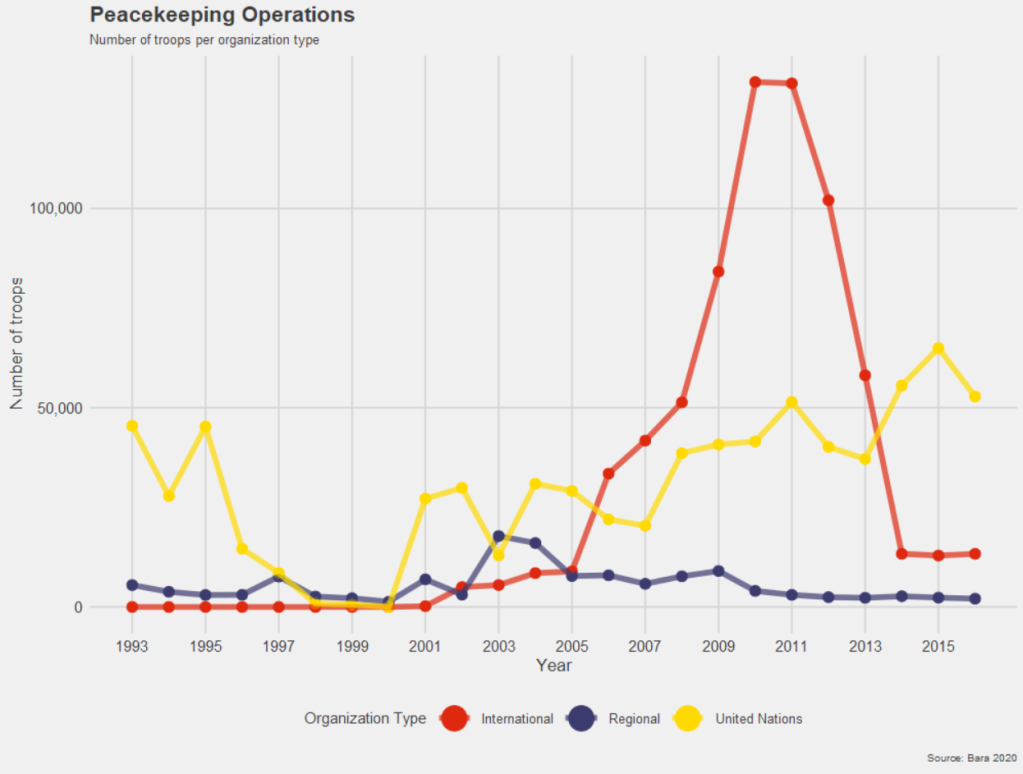

Next, we will look at changing colors in our maps.
We have a map and we want to make the colors pop more.
Click here to read about downloading the V-DEM and map data:
   geom_tile(data = data.frame(value = seq(0, 1, length.out = length(colors))),
             aes(x = 1, y = value, fill = value),
             show.legend = FALSE) +
   scale_fill_gradientn(colors = colors,
                        breaks = scales::pretty_breaks(n = length(colors)),
                        labels = scales::number_format(accuracy = 1)) +
Creation of data for geom_tile():
data = data.frame(value = seq(0, 1, length.out = length(colors))) This line creates a data.frame with a single column named value. The column contains a sequence of values from 0 to 1. The length.out parameter is set to the length of the colors vector, meaning the sequence will be of the same length as the number of colors you have defined. This ensures that the gradient will have the same number of distinct colors as are in your colors vector.
geom_tile()
geom_tile(aes(x = 1, y = value, fill = value), show.legend = FALSE)geom_tile() is used here to create a series of rectangles (tiles). Each tile will have its y position set to the corresponding value from the sequence created earlier. The x position is fixed at 1, so all tiles will be in a straight line. The fill aesthetic is mapped to the value, so each tile’s fill color will be determined by its y value. The show.legend = FALSE parameter hides the legend for this layer, which is typically used when you want to create a custom legend.
scale_fill_gradientn()
scale_fill_gradientn(colors = colors, breaks = scales::pretty_breaks(n = length(colors)), labels = scales::number_format(accuracy = 1)) scale_fill_gradientn() creates a color scale for the fill aesthetic based on the colors vector that we supplied.
The breaks argument is set with scales::pretty_breaks(n = length(colors)), which calculates ‘pretty’ breaks for the scale, basically nice round numbers within the range of your data, and it is set to create as many breaks as there are colors.
The labels argument is set with scales::number_format(accuracy = 2), which specifies how the labels on the legend should be formatted. The accuracy = 2 parameter means that the labels will be formatted to one decimal place









 R Functions and Packages for Political Science Analysis